Custom Server Setup Guide
Follow these steps to set up a local translation server for high-quality offline translations.
Go to GitHub to download and install the NLLB server. This only needs to be done once.
GitHub: sample_local_translate_server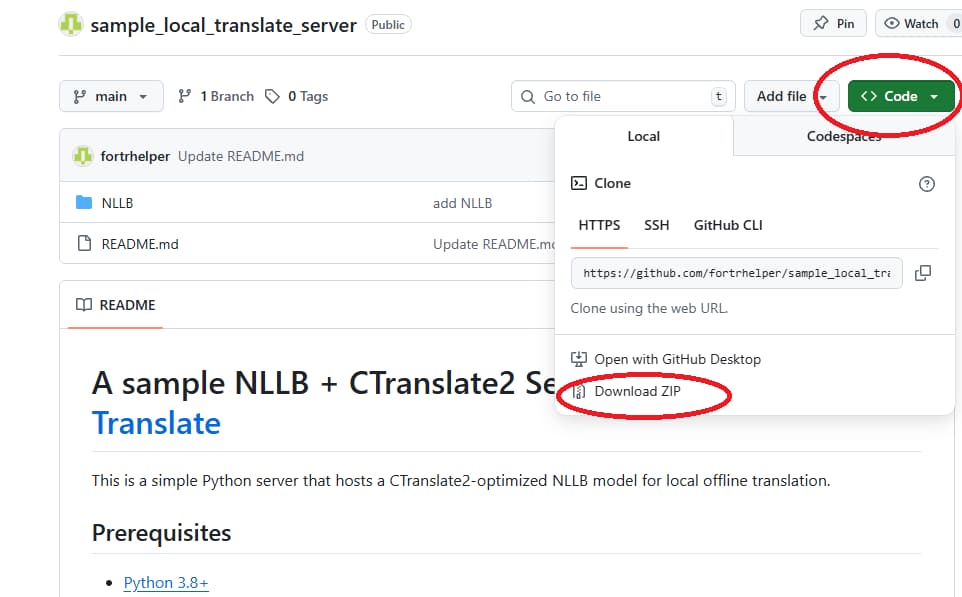
Start the NLLB server. You need to start it every time you want to use it with Movie Translate or Visual Novel Translate.
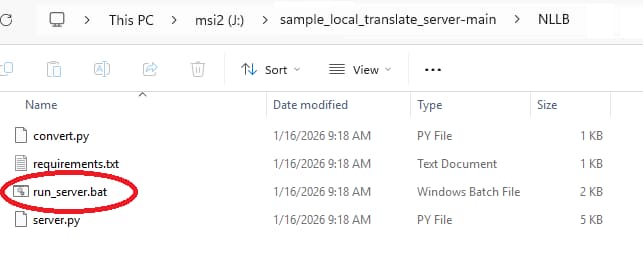
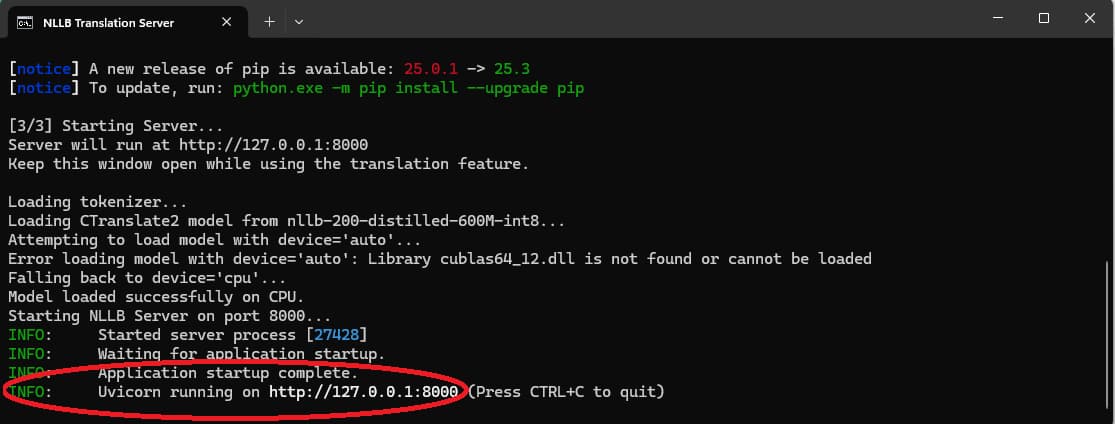
Important: The initial launch involves a one-time download of high-quality AI translation models. Please be patient as this may take several minutes; subsequent startups will be much faster.
please don't close the window below
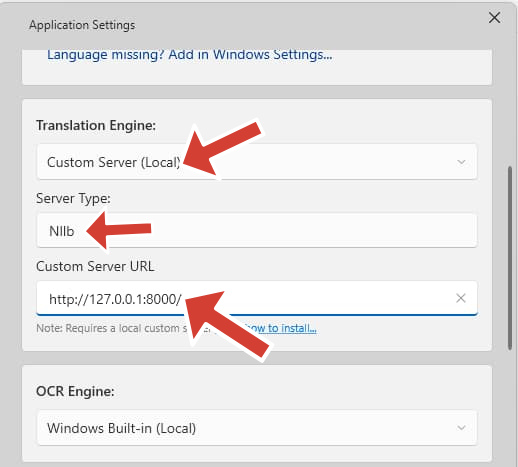
In the application settings, set your Translation Engine to "Custom Server" and ensure the settings match your local server configuration.